Small Business Bookkeeping — Etsy Spreadsheet Excel Template | Income-Expenses Sales Costs Tax Profit-Tracker Google-Sheets Instant-Download
One calm spreadsheet that runs your shop's whole year: every sale, every cost, your real profit, and how much tax to set aside each quarter. Type into the yellow cells only — the dashboard, the annual profit & loss, the mileage total and the charts all fill themselves in.
Most bookkeeping templates are a pile of disconnected pages, or software with a monthly fee. This one is a single linked system you own forever: your Income and Expenses logs power the Dashboard and the Annual Summary, your Mileage log becomes a deductible total on its own, and the Tax Estimator turns each quarter's profit into a set-aside figure at your own tax rate. Enter something once — it appears everywhere it should.
WHAT YOU WILL RECEIVE
- 1 digital spreadsheet file: Small_Business_Bookkeeping.xlsx (instant download after purchase)
- 10 linked tabs: Start Here, Settings, Dashboard, Income, Expenses, Annual Summary, Inventory & COGS, Mileage, Tax Estimator, Charts
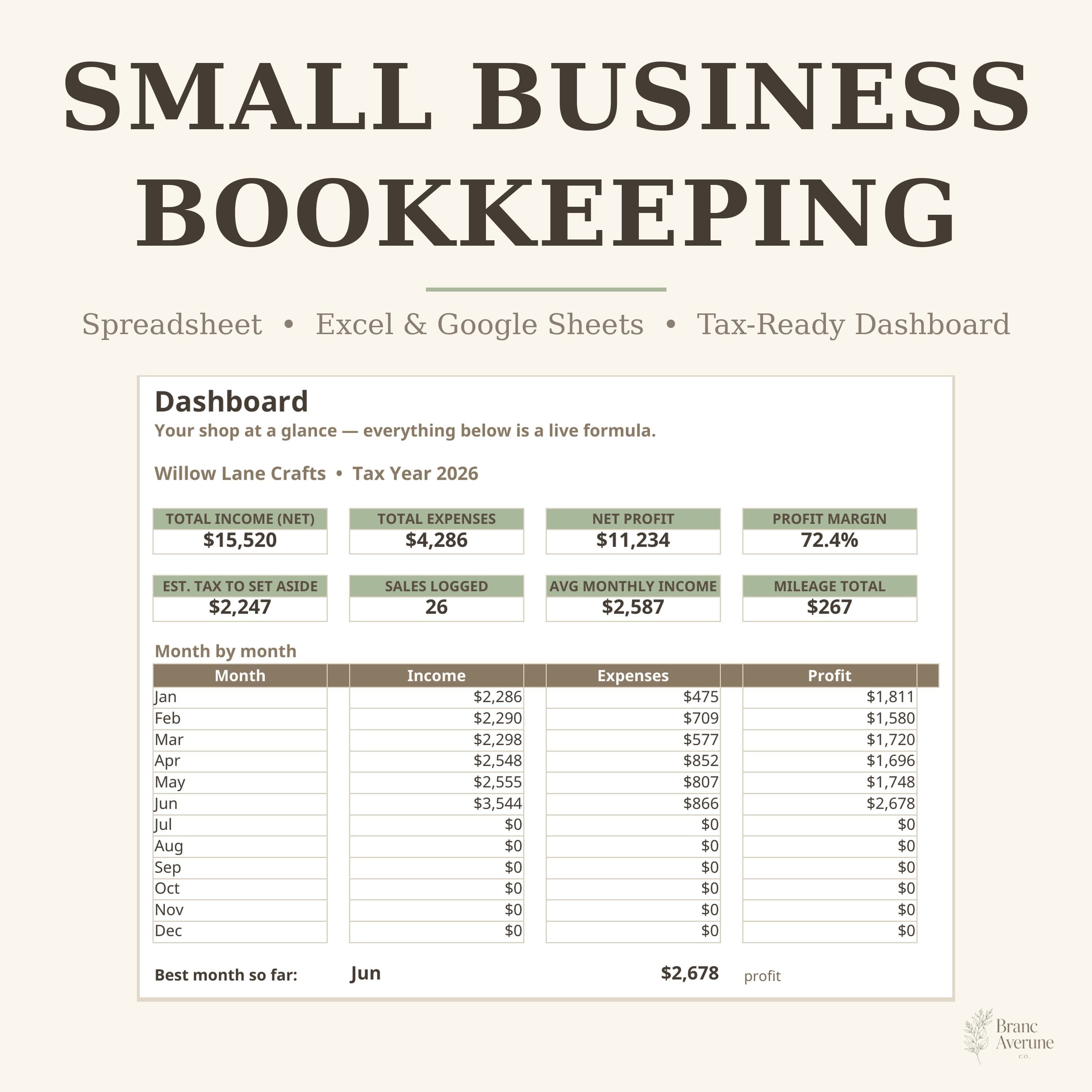
- Dashboard with total income, total expenses, net profit, profit margin %, estimated tax to set aside, average monthly income and your best month
- Income log for every sale — gross, marketplace fees and net, with category dropdowns (Etsy Sales, Website Sales, Wholesale, Other Income)
- Expenses log with 14 categories, payment method and a receipt tracker
- Annual Summary: a complete profit & loss by category and by month — the page your accountant will ask for at tax time
- Inventory & COGS page: materials + packaging cost per product, revenue, cost of goods sold, gross profit and margin per product
- Mileage log that turns business trips into a total at your official rate, with monthly totals feeding the Annual Summary
- Tax Estimator: quarterly income, expenses, profit and estimated tax to set aside, using the tax rate you set
- Charts: income vs expenses by month, monthly net profit, expenses by category (doughnut), income by category
- A complete sample shop (Willow Lane Crafts, Jan–Jun) is included so you can see everything working — delete the sample rows and type your own
HOW IT WORKS
- On Settings, add your business name, tax year, your estimated tax rate and mileage rate, and check the category lists.
- Log each sale on Income (Net calculates itself) and each cost on Expenses; add trips on Mileage and product costs on Inventory & COGS.
- Watch the Dashboard: profit, margin, best month and tax set-aside update with every row you add.
- At quarter end, open the Tax Estimator, move the estimated tax into a savings pot, and type what you set aside. At year end, hand the Annual Summary to your accountant.
REQUIREMENTS
- Microsoft Excel (desktop or the free web version) OR a free Google account for Google Sheets
- For Google Sheets: upload the file to Google Drive, open it, then File → Make a copy and work in your copy
- Basic typing only — no bookkeeping or spreadsheet experience needed; the Start Here tab walks you through it
DETAILS
- Any currency — amounts are shown in $ as formatting only; type your own numbers in any currency
- Built for Etsy sellers and small shops, and works for any small business, freelancer or sole trader
- Reuse it every year: save a copy, update the Tax Year on Settings, clear the logs and start again
- Calm beige & sage design, easy to read and to share with your accountant
PLEASE NOTE
- This is a DIGITAL FILE (spreadsheet), not a physical book or planner. No item will be shipped, and there is nothing to subscribe to.
- The Tax Estimator gives estimates to help you set money aside and keeps organised records for your accountant. It is a bookkeeping aid, not tax advice — please confirm your final figures, rates and deadlines with a qualified tax professional.
- For use in your own business. Please do not share, resell or upload the file itself.
- Colours may vary slightly between screens and software versions.
Thank you for visiting Brancaveruneco — where simplicity meets creativity. If you have any question about setting up your bookkeeping, just send a message; I'm happy to help. — Noor